Wednesday, 11 March 2015

Friday, 6 March 2015
Day Four
Chapter Fifty-Five
Software; Adobe Premiere Pro.
Project; Evangeline.
Date; Thu 26 Jan.

I spent today researching and learning how to add in titles to my opening sequence.

I discovered the order than names should be added an dhow they should appear on the screen. I decided for Evangeline that the titles should appear throughout the most part of the opening sequence.
720.jpg)
Our titles will appear in a scratchy, text and will pop up on the screen and fade off again. This will be effective for the disappearing theme throughout the whole of Evangeline.

Day Three
Chapter Fifty-Four
Software; Adobe Premiere Pro.
Project; Evangeline.
Date; Wed 25 Jan.
This is a video on panning in audio on Premiere. It explains what and how to pan sound through the left and right speakers.
To make the process eaiser I chose one sound file and deleted the extra. I then moved them all into the same row.
To make the process eaiser I chose one sound file and deleted the extra. I then moved them all into the same row.
Day Two
Chapter Fifty-Three
Software; Adobe Premiere Pro.
Project; Evangeline.
Date; Tue 24 Jan.
I also unlinked both left and right audio from the visual, this wasn't necessary at this stage but was helpful as we wanted to make the audio fit [semi-correct] early on. We would focus on this more later.
Task Seven. Part Two.
Chapter Fifty- Two:
What different skills have you learned about film making?
I have learned how to create an atmosphere within a set and make it look professional through a camera and on the screen. I have learned that film making is made up of two sections. Filming and Editing. After these sections a film is produced and distributed. I have learned the importance of naturalism and how to make sense of a story line by matching shots in editing. I have learned techniques such as cutting and cropping shots and audio

What have you learned from
the prelim task which you then used in the shoot? i.e. camera shot
composition/ importance of framing etc.
In the prelim shoot I learned how to take shots from different angles and widths, these two techniques were important on giving the character status and showing different emotions. Framing is important as some shots will show the setting which is an important element the audience will need to know. I learned the importance of the 180 degree rule and how to check continuity.
What did you learn from the
editing process? How have you used and
demonstrated continuity through
·
match
on action
I used match on action shots to show the man putting a girl into the car. This came in handy if the original shot wasn't long enough or not usable. It also built tension as the cut to the close up on her feet because we couldn't see who was in the car.
·
the
use of a shot reverse shot

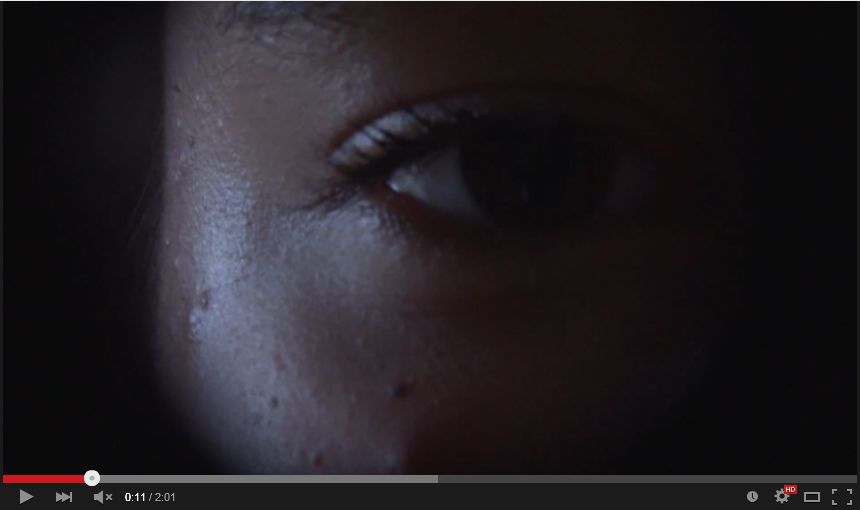 I used a shot reverse shot on Evangeline's eye so the viewer can see what she is looking at and especially her reaction to what she is seeing. I also incorporated an EYE LINE MATCH into the shot reverse shot.
·
the
180 degree rule
I used a shot reverse shot on Evangeline's eye so the viewer can see what she is looking at and especially her reaction to what she is seeing. I also incorporated an EYE LINE MATCH into the shot reverse shot.
·
the
180 degree rule
This was very important to film this correctly as the 180 degree rule deciphers how the audience view the action. If the 180 degree rule is broken the actors will have appeared to have swapped sides. This will make the film look naff and confused the audience.
Do you feel that you have
become an accomplished film maker as a result?
I used match on action shots to show the man putting a girl into the car. This came in handy if the original shot wasn't long enough or not usable. It also built tension as the cut to the close up on her feet because we couldn't see who was in the car.
This was very important to film this correctly as the 180 degree rule deciphers how the audience view the action. If the 180 degree rule is broken the actors will have appeared to have swapped sides. This will make the film look naff and confused the audience.
I feel accomplished as an opening sequence maker. I also feel accomplished as a consumer and researcher.
How do you feel that you
have a media product that has been uploaded on You Tube? Is this progress
because you have now become a amateur film maker who understands the process?
This is definitely something. I spent a lot of time and planning on this sequence and for it to be finished and available to the public is a good accomplishment as a student. I think I have learned a lot from it and could recreate the process better and better the more I do it.

Task Six - What have you learnt about technologies from the process of constructing this product?
Chapter Fifty-One:
What have you learnt about technologies from the process of
constructing this product?


Subscribe to:
Posts (Atom)